Laptop for IT Refurbished, room to run what you need
In IT you hit the limits of a laptop first: virtual machines, containers, several environments at once.
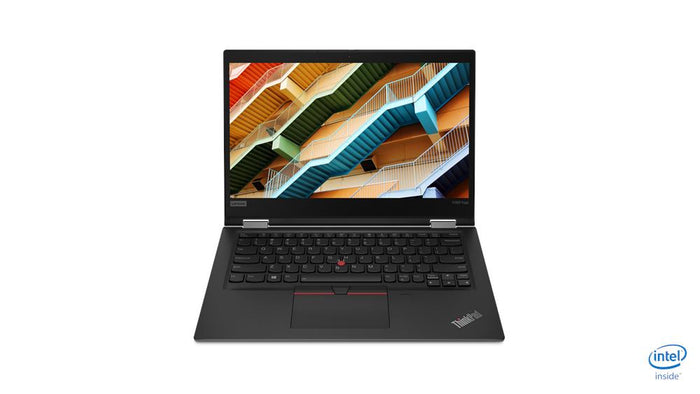
Lenovo ThinkPad X390 YogaIntel® Core™ i5-8365U
Features
What a laptop has to handle in IT.
Where you run into limits, and what you need for it.
Memory. The moment you start a virtual machine or work with containers, 8 GB is full straight away. 16 GB is the minimum you work comfortably with and 32 GB gives you room for several environments side by side.
Only then comes the processor. An i7 shows itself when compiling and in anything that computes for a while.
You plug in more than the average user: network cable, serial adapter, two screens, external drives. Business models therefore still have a real network port, several USB ports and often Thunderbolt.
That saves a bag full of adapters you can never find.
The larger ThinkPads from the T and P series have the most room for memory and the most ports. If you travel a lot an X model is lighter, but then check how much memory it takes at most.
Filter alongside by memory; that is the filter that makes the difference here.
You can, and business ThinkPads are known for virtually everything working straight away: wifi, sound, sleep and the fingerprint reader. Every laptop comes from us with a clean Windows installation, so you start with an empty device you can put whatever you like on.
Questions? Answers.
In IT you benefit from a strong processor for several virtual machines, at least 16 GB of memory, a large fast SSD and several ports for screens, servers and network equipment.
Linux is popular with system administrators and developers for its flexibility and automation. Windows Pro is widely used in corporate IT environments. Some people work with both, through dual boot or virtualisation.
Yes, but you do need the hardware for it. To run several virtual machines at once, at least 16 GB of memory is advisable, preferably 32 GB. A strong multi-core processor and a fast SSD are just as essential.
Very. In IT you often work with several monitors, network cables and USB devices. A laptop with several USB ports, an ethernet port and DisplayPort or HDMI is ideal. A docking station adds more connections.
Remote Desktop is part of Windows Pro, which is installed on most business laptops at Hej Refurbished. With it you connect remotely to other systems.
Yes. Refurbished business laptops are cost-effective and technically reliable, which makes them excellent for test environments, development setups and labs.
For daily IT work a 256 GB SSD is a minimum. For virtual machines, images, databases and large project files, 512 GB or more is advisable. External storage is a handy addition.
On many business laptops the memory and SSD are easy to replace or expand. That makes them attractive to IT professionals who want to tailor the hardware to specific requirements.
On many business models at least one memory slot is reachable. On the thinnest travel models the memory is soldered in; then you buy what you need straight away. If it is not listed, ask us before you order.
With 16 GB of memory you comfortably run one alongside your normal work. For several at once, take 32 GB and an i7. The processors here support virtualisation; that is on by default or can be switched on in the BIOS.
On the larger models usually yes. On the thin travel models it has gone and you use a USB adapter or a docking station. Check the ports per device.
Yes, the SSD can be replaced on these models. For encryption there is a TPM chip, so BitLocker or a Linux equivalent simply works.
Yes. Every device is wiped completely and gets a clean installation of the operating system. There is no company enrolment, no management software and no old user left on it.
Two external screens work on virtually every model, through HDMI and USB-C or through a docking station. With Thunderbolt you can drive more, and at higher resolution.