Laptop accessories Complete your laptop.
All the laptop accessories below are new and come with 12 months warranty, from a simple mouse to an adapter cable.

Oplader 170 Watt Square-Tip aansluiting


Sierra AirPrime WWAN 4G LTE EM7345 P/N SW10A11510
What you need alongside your laptop.
Why these items are new, what they add and what to look out for when choosing.
No. Only our laptops, desktops, monitors and docking stations are refurbished. All accessories on this page are new.
You get 12 months warranty on them, from a simple cable to a keyboard or a bag.
With the things you touch every day: a keyboard and a mouse that feel good, and a bag that fits around your laptop.
If you often work in the same place, an external keyboard and a separate mouse do more for your posture than any upgrade.
A USB hub gives you a few extra ports. If you also want a screen, a network cable and the power for your laptop, you need a docking station.
The difference is that a dock has one cable to your laptop and handles everything at once, charging included.
Set the top of your screen at eye level. If you work on your laptop, a stand gets you there; if you work with a separate screen, the monitor's own stand or a monitor arm does.
You will find the latter in the monitor accessories.
Questions? Answers.
A USB stick is handy for quickly carrying files or making backups. If you have an external SSD or hard drive, you can easily connect it with a USB to SATA adapter.
An external clip microphone sits closer to your mouth and picks up less background noise, which gives clearer sound, especially on video calls or recordings.
A wired mouse needs no battery and responds instantly. A wireless mouse gives you more freedom of movement and keeps your desk tidier.
A laptop cable lock with a key makes it hard for a thief to walk off with your laptop when you step away for a moment, for example in a library or at the office.
Most modern laptops no longer have a built-in DVD drive. If you still want to play or burn a CD or DVD, simply connect an external USB DVD drive.
For documents and photos, 32 to 64 GB is plenty. If you often work with large files such as videos, an external SSD via an adapter is more practical than a USB stick.
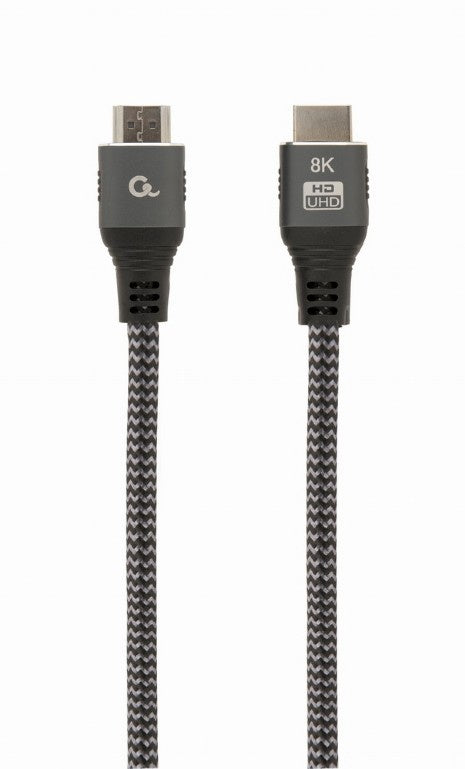
If your laptop and the screen both have an HDMI port, an HDMI cable is all you need. If an older monitor or projector only has VGA or DVI, use an HDMI to VGA converter or an HDMI to DVI adapter cable. If your laptop has a DisplayPort output, the DisplayPort to VGA adapter cable fits.
Many thin laptops no longer have a network port. A Gigabit network adapter lets you plug in a network cable anyway: a USB-C ethernet adapter for a USB-C port, or the USB 3.2 version for a standard USB port. A cable often gives a more stable connection than Wi-Fi.
Yes, but a few keys differ from the UK layout. On a US keyboard the @ and " keys are swapped, there is no £ key and the # key sits elsewhere. Set Windows to the US keyboard layout so the keys match what is printed on them. With the US International layout you type £ with AltGr, Shift and 4.
New. Only our laptops, desktops, monitors and docking stations are refurbished; everything on this page comes out of the box unused.
That applies to cables, adapters, keyboards, mice, bags and storage.
12 months, on every accessory. On top of that you have 30 days to change your mind, from the day after your order arrives.
If something goes wrong within those 12 months that falls under the warranty, you report it to our customer service.
A cable suitable for the power your laptop asks for. That is stated on your original power supply, in watts.
A cable that passes too little power charges slowly or only when the laptop is at rest. With a laptop you always receive the product together with its power supply.
Yes, that fits easily. The size of a bag is the upper limit, so a smaller laptop always goes in.
Do watch the fit though: in a bag that is too large a laptop slides back and forth. A bag that just fits protects better.
A USB hub gives you a few extra ports and nothing more. A docking station also handles your screen, your network and the power for your laptop over one cable.
If you connect the same things at your desk every day, take a dock. If you only occasionally need an extra USB port, a hub is enough.